
01
Forgot the filename? Search the text.
Search PDFs, text and supported Word, Excel and PowerPoint documents together. Inspect matching passages inside the app. Scanned PDFs need OCR first.
WINDOWS APP
Turn a pile of PDFs into a library you can search and read. OCR, search, bookmarks and notes, on your own PC.
Available · all features free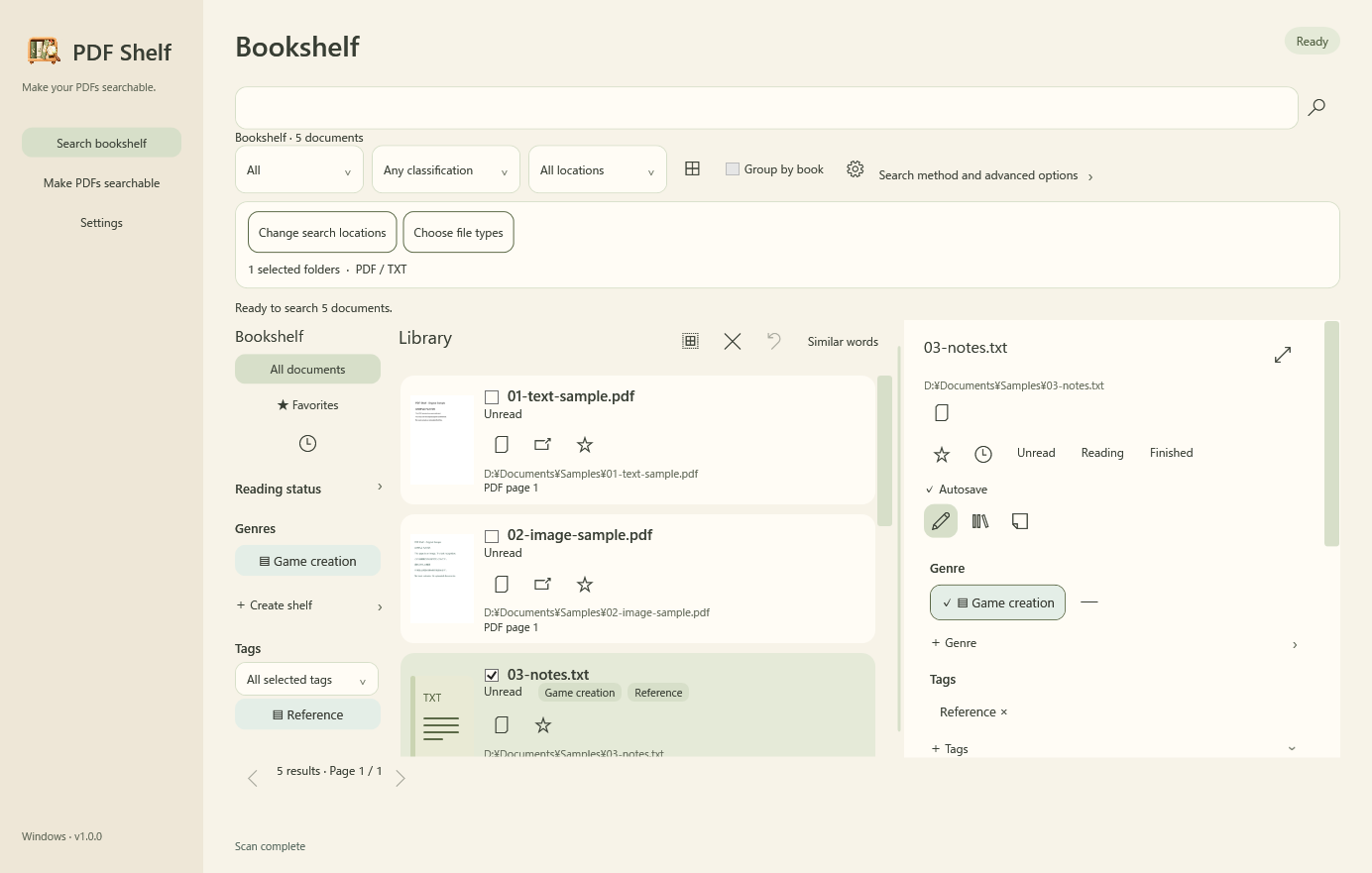
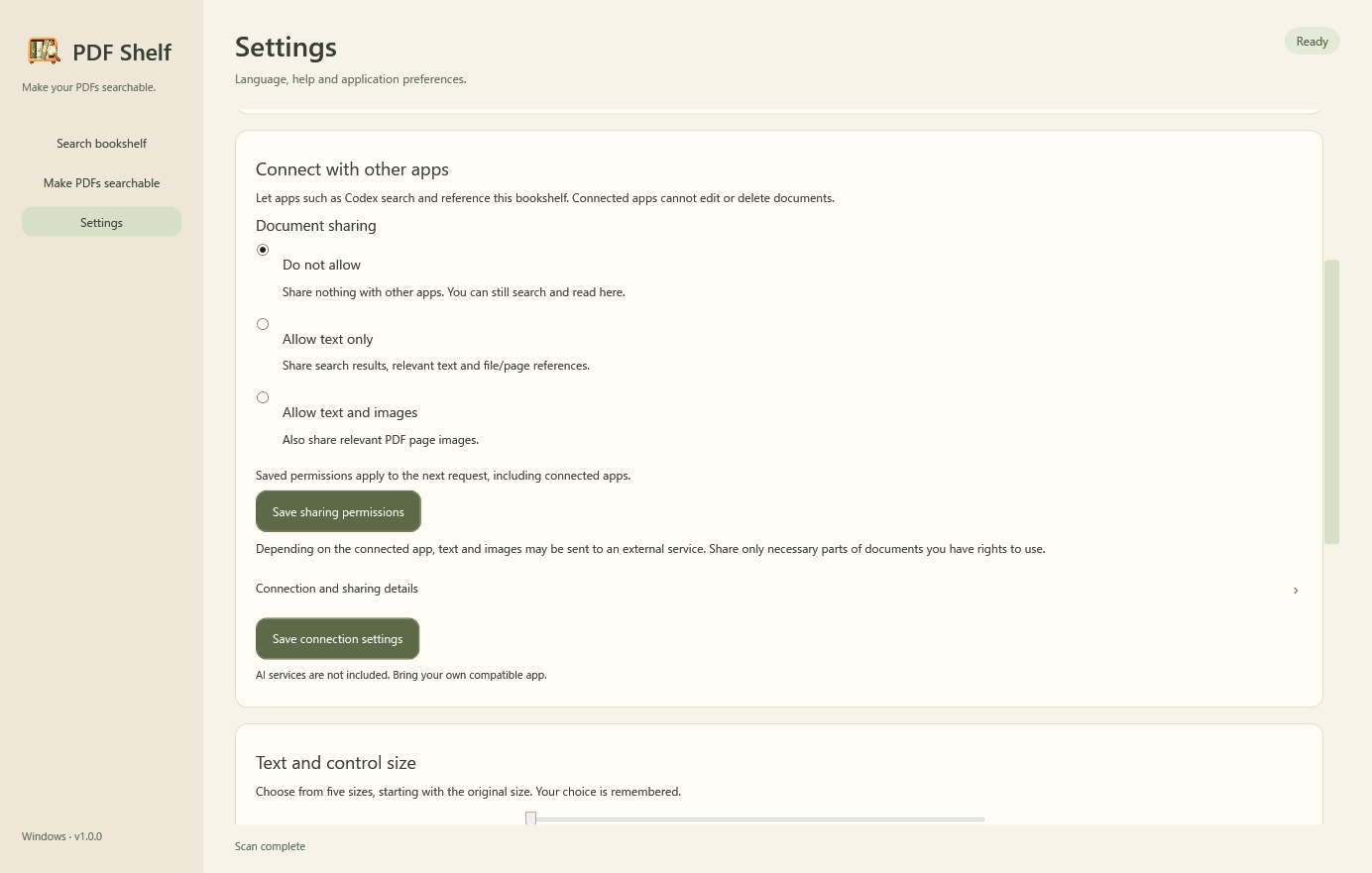
Actual Searchable Shelf interface (captured with version 1.0.0), using demonstration samples only. Folder paths are demo labels.
Captured from the actual 1.0.0 app using demonstration samples only.
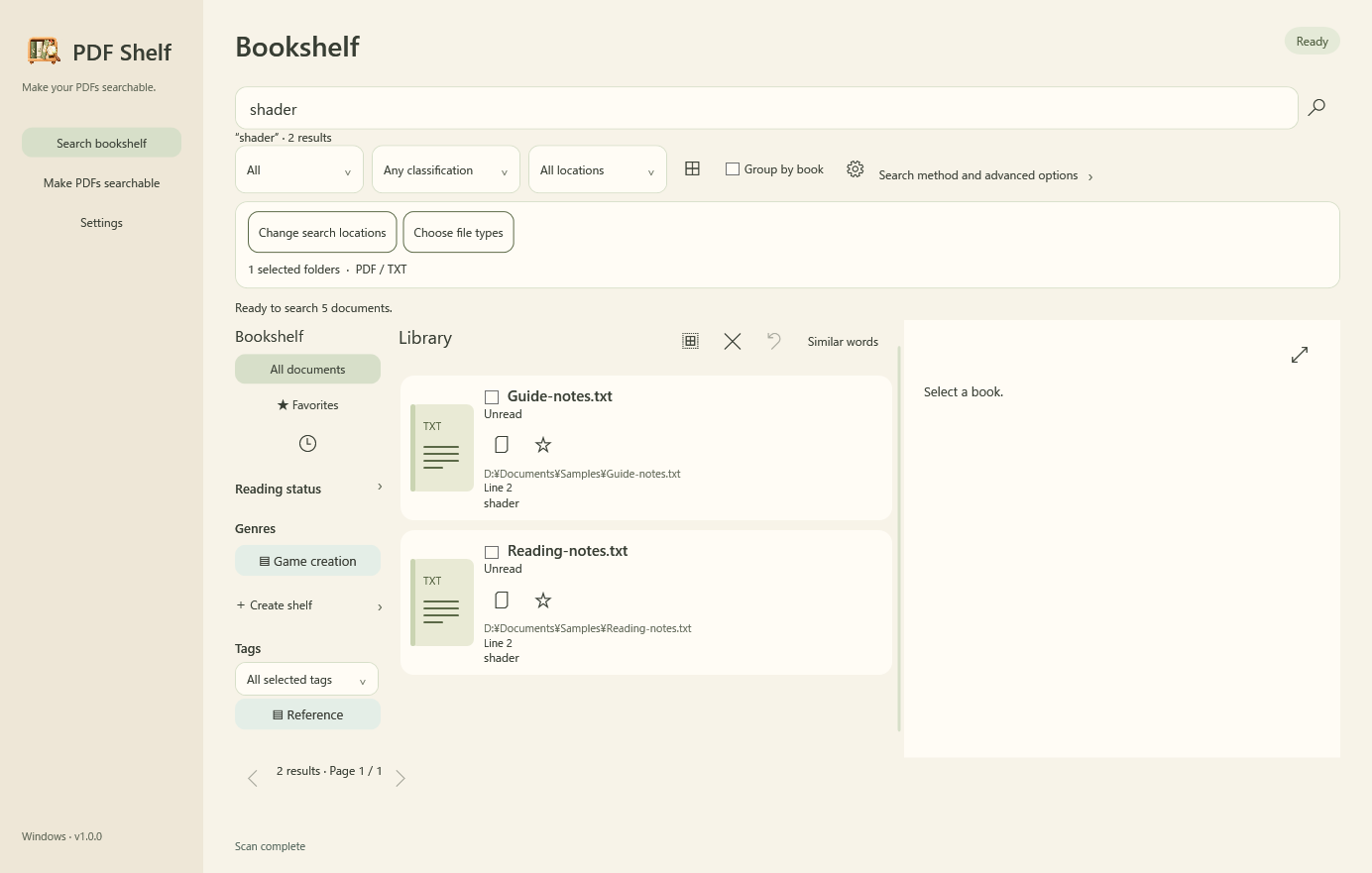
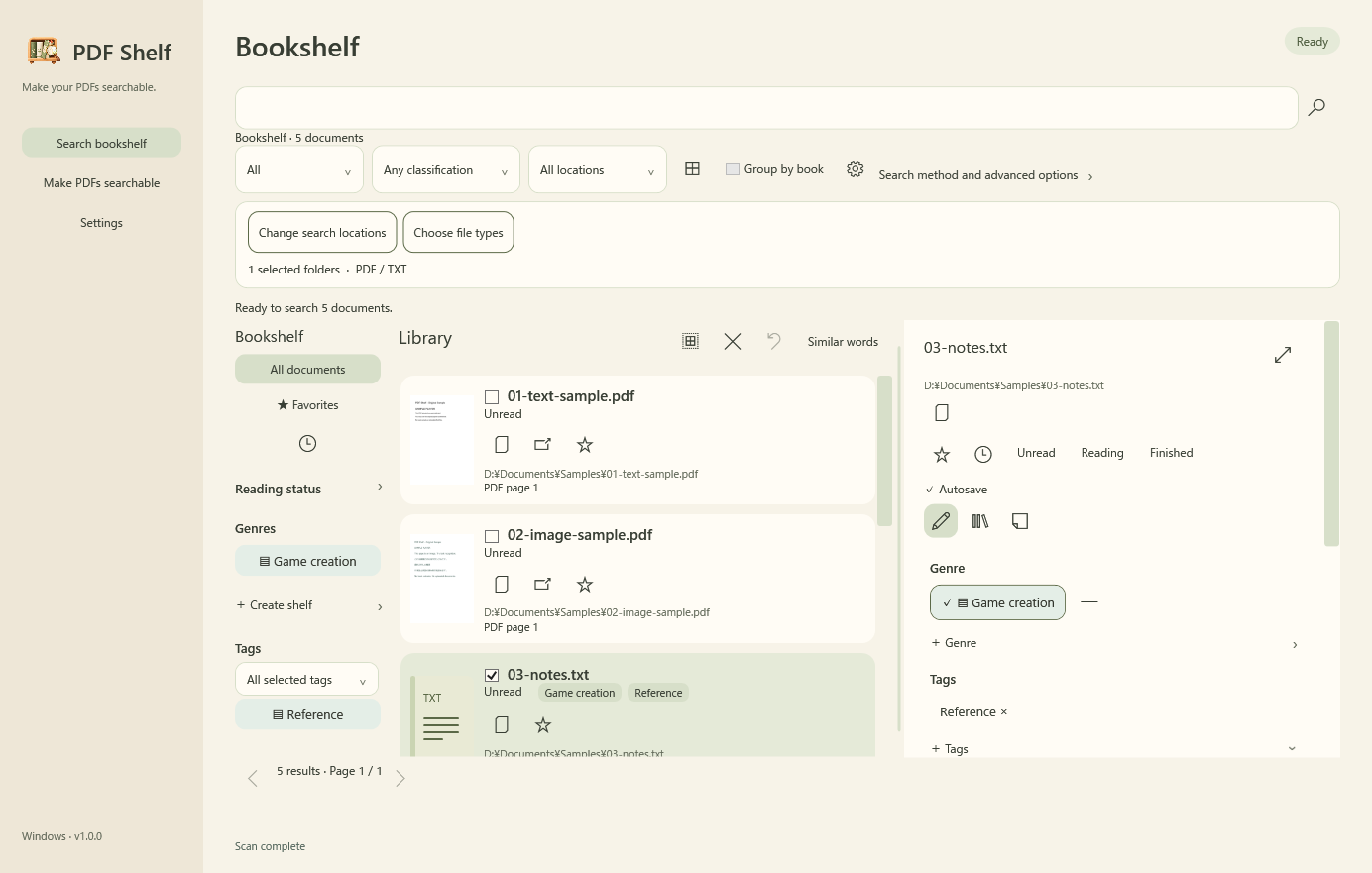
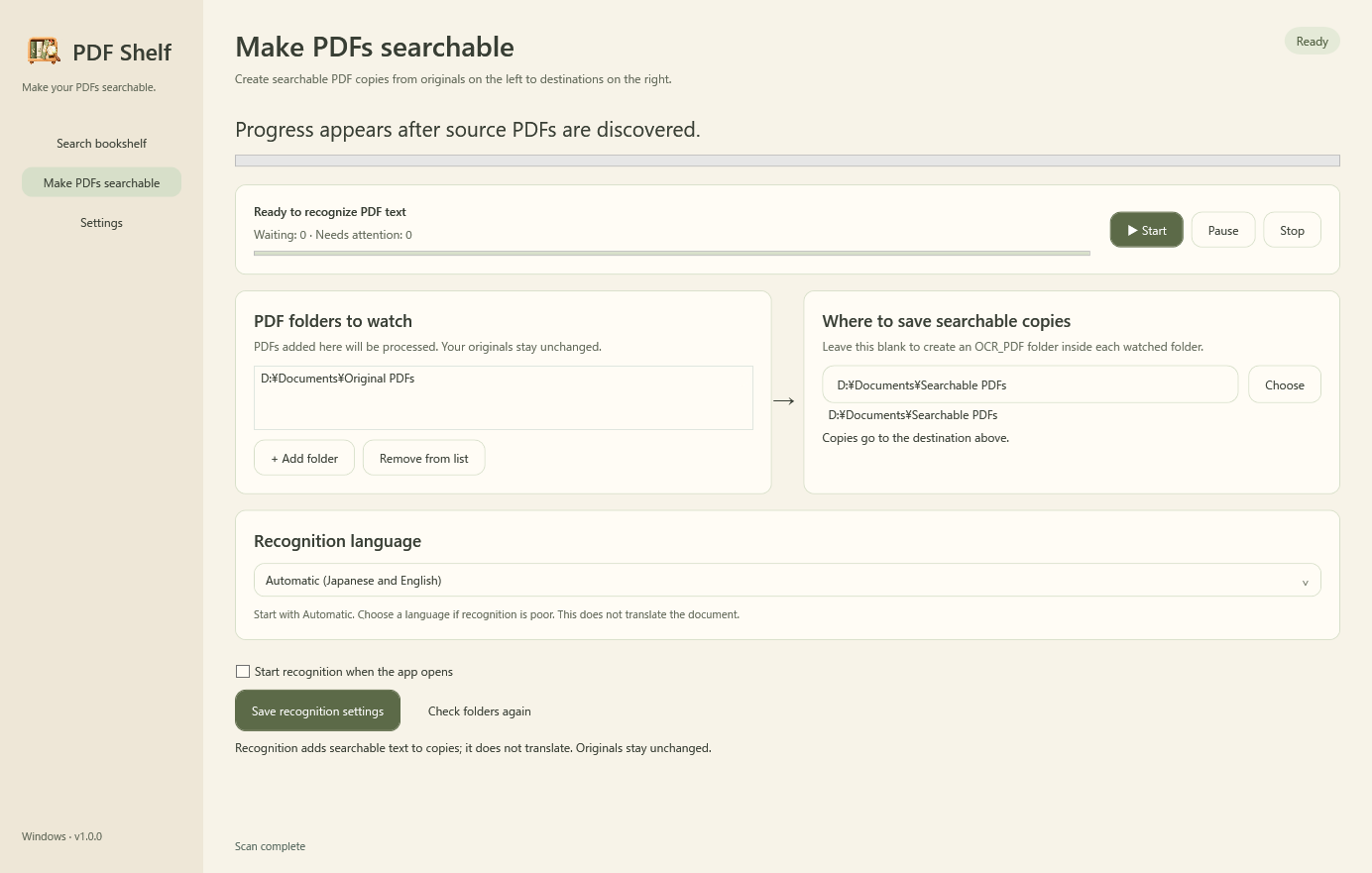
Search PDFs, text and supported Word, Excel and PowerPoint documents together. Inspect matching passages inside the app. Scanned PDFs need OCR first.
Genres, multiple tags, favorites, reading status, bookmarks and notes live in one bookshelf. OCR creates searchable copies without changing originals.
Search and OCR run on your PC. Optional MCP sharing is off by default and sends permitted excerpts or PDF pages to compatible apps. Connected apps may send them to external services. AI services are not included.
FREE EDITION
All features are free: no purchase, expiry or per-start quota. Batch OCR, watching for additions, bookshelf organization and reading are included. Supported-format and safety limits still apply.
Download Searchable Shelf freeAll features are free: no purchase, expiry or per-start quota. Batch OCR, watching for additions, bookshelf organization and reading are included. Supported-format and safety limits still apply.
OCR adds searchable text to copies. Check important passages against the original because recognition can be inaccurate.
No Office installation is needed to search supported docx, xlsx and pptx text. Older formats, protected documents and text inside Office images are not supported.
MCP sharing is disabled by default. Once permitted, requests within that scope do not prompt every time. Check the connected app’s external data handling too.
No document translation. Similar words uses spelling similarity, not semantic or synonym search.